
Want both partners in the shot, a hug and a sunset memory? Use our dedicated zombie couple video generator.
What is the zombie AI trend?
The zombie AI trend is a wave of short, cinematic clips where an ordinary photo turns into a zombie in a post-apocalyptic world. The most shared version is a love story told in three shots: someone raises a gun with shaking hands, the person they love has turned, and the gun slowly comes down. It usually runs under a caption like “POV: the world sees a zombie, you still see them”. The top clip in early October 2026 passed 230,000 views within a week, and creators named Seedance as the model. Others turn their dog, their best friend or themselves. The mix of horror look and soft feelings is why it spreads.
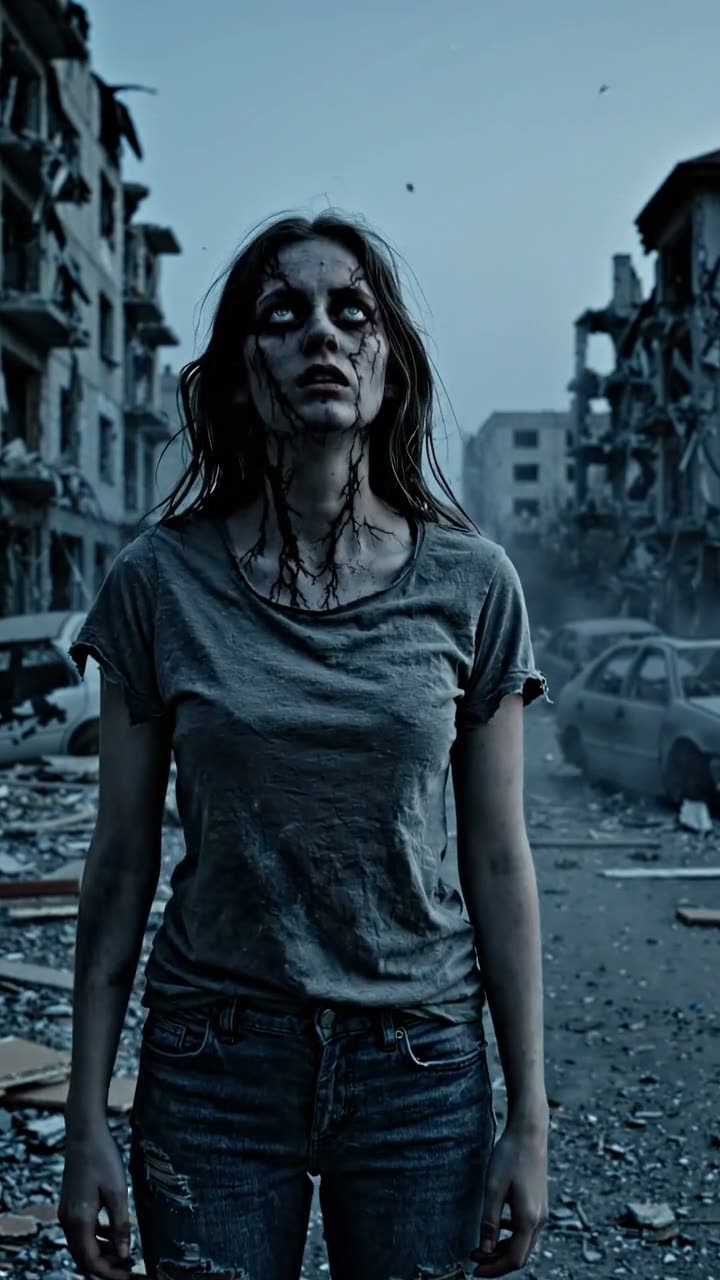
How to make a zombie AI video
- Pick a style. Love story for the viral couple scene, The turn for a classic transformation, Zombie pet for your dog or cat.
- Upload a photo (optional). One person or one pet, face visible. Skip it and the AI invents the character.
- Press Generate. In one to three minutes you get a vertical 6-second clip with music and sound.
No template app and no editing: the zombie AI video maker above animates your photo with a tested transformation prompt, and keeps the result in My videos so you can make the next scene of the story.
Three zombie AI prompt templates
These are the prompts behind each style when you do not upload a photo, modelled on the zombie clips with the most views. Open one in the full generator to change the people, the setting or the model.
Zombie love story
The viral format: three quick shots, a shaking gun, a soft smile and a sad piano.
Cinematic zombie love story in three quick shots, ruined city at dusk, desaturated film look. Shot 1: a young man in a dusty jacket aims a pistol, hands shaking, tears on his face. Shot 2: close-up of the young woman he loves, her skin grey, veins dark and eyes clouded, yet she tilts her head and almost smiles. Shot 3: he slowly lowers the gun and steps toward her. Sound: a slow, sad piano melody over the wind.
Open this prompt in the full generator →
The turn
The classic transformation in one take, ending on a stare into the camera.
Cinematic post-apocalyptic scene: a young woman stands still in an abandoned street at dusk as she slowly transforms into a zombie, her skin turning grey, veins darkening and eyes clouding over, then she tilts her head and looks into the camera. Moody film look, dust in the air. Sound: a tense, pulsing horror beat, distant sirens and a low growl.
Open this prompt in the full generator →
Zombie pet
The funny version for your dog or cat.
A fluffy golden retriever sits in an abandoned living room as it slowly turns into a goofy cartoonish zombie dog with green-grey fur and glowing eyes, then wags its tail happily. Funny, cinematic. Sound: a spooky synth and a happy bark.
Open this prompt in the full generator →
What a zombie AI video costs
Every zombie AI video costs 90 credits, with or without your photo, because the photo is animated directly. Packs start at $4.99, credits never expire, and a failed clip is refunded automatically.
Zombie AI video ideas to try
- The office zombie: a work headshot that slowly turns while the person keeps typing.
- Best friends: one turns, the other keeps eating popcorn next to them, made as two clips.
- Your dog as the last survivor, then the twist: it was a zombie all along.
- A wedding photo that turns at the exact moment of the kiss, posted on Halloween.
- A family portrait where only one person changes, and everyone else pretends not to notice.
Tips for a better zombie story
- Front-facing, well-lit photos keep the likeness through the transformation.
- Tell it in two or three clips: a normal photo, the turn, then the zombie reaching out.
- Add a slow song in TikTok when you post; the contrast with the horror look is the hook.
- Only use photos of friends who are in on the joke.
Reference videos
Posts from other creators that show the trend. They play in TikTok’s or YouTube’s own player and belong to their creators; we only link to them.
Zombie AI video questions
Is the zombie AI video free?
Examples and prompts are free to explore. Generating a zombie video uses purchased credits. The quote is shown before submission, with no subscription required.
Will it still look like me?
Yes. The clip starts on your exact photo and the transformation happens on camera, so your face, hair and clothes are recognisable before the skin greys and the eyes cloud over. A clear, front-facing photo keeps the likeness best.
Can I make the couple version, “would you still love me if I were a zombie?”
Yes, that is the default Love story style. Upload a photo of your partner: they turn on camera while a trembling hand raises a gun at them and slowly lowers it. Add a line such as “POV: the world sees a zombie, you still see them” when you post.
Can I turn my pet into a zombie?
Yes, pick the Zombie pet style and upload a photo of your dog or cat. The pet becomes a goofy, cartoonish zombie that stays recognisable and still wags its tail, more funny than scary.
Is it too scary for TikTok?
The styles are moody rather than gory: grey skin, dark veins and cloudy eyes, no blood or wounds. That keeps the zombie AI video within normal platform rules, and the prompts can be softened further in the full generator.
More AI video trends
- Sword cat AI video
- Kitty pants AI video
- Earth zoom out AI video
- AI hug video
- Raindance AI video
- Hotel Lobby AI video from two photos
- The full AI video generator for your own prompt