
What is the AI hug trend?
The AI hugging trend turns two separate photos into a short video where the two people step toward each other and hug. People use it for family members who have passed away, for a parent who lives on another continent, for a celebrity crush, and for the hug-your-younger-self clips that make whole comment sections cry. The appeal is simple: a still photo cannot hug back, a short AI hug video almost can.
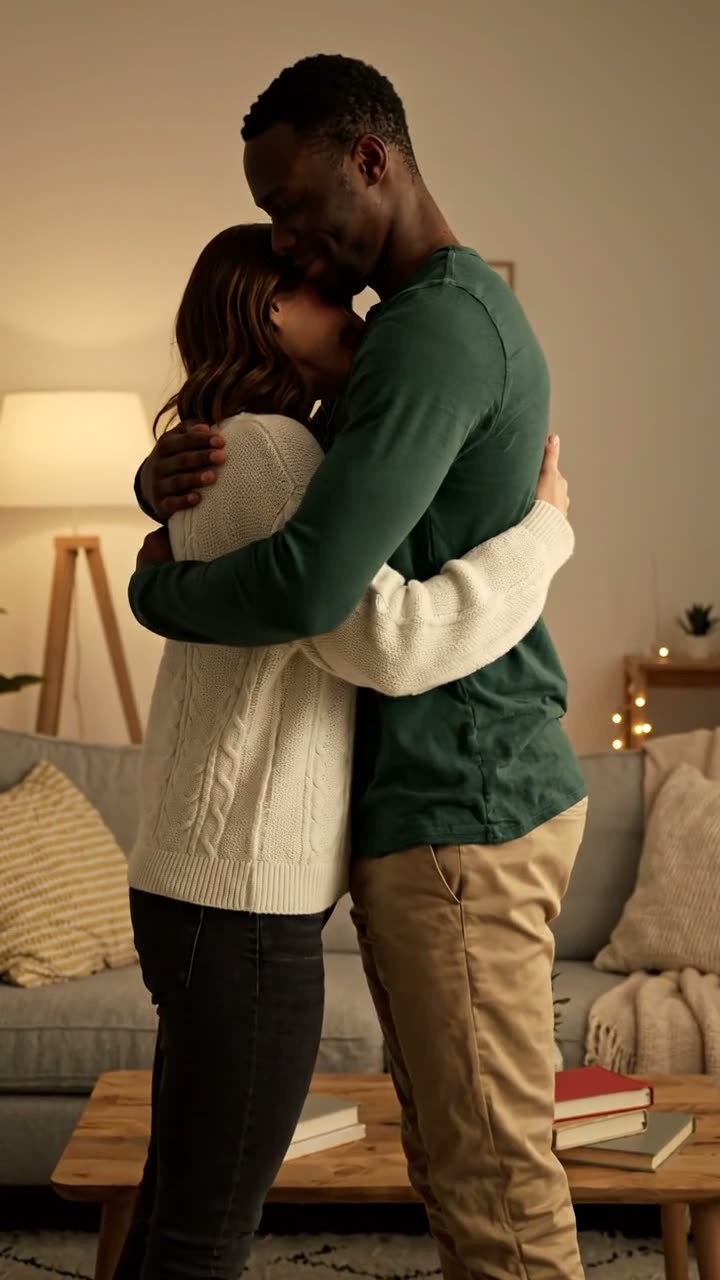
How to make an AI hug video
- Add two photos. One clear photo of each person. Any age, any era, any camera.
- Pick a style. Your younger self, Warm hug for family photos, or Polaroid flash for friends.
- Press Generate. We place both people in one natural frame, keep their faces, then animate the hug. It takes one to three minutes.
You do not need to make a collage first or look for a hug template. The AI hug video generator above combines the photos and animates them in one go, and saves the result to My videos.
Three AI hug prompt templates
These are the prompts behind each style when you open them without photos, modelled on the hug clips with the most views. Open one in the full generator to describe your own two people.
Hug your younger self
The most-shared version: the adult you and the child you in one flash photo that comes to life.
A candid flash photo comes to life: a woman in her thirties kneels and hugs a little girl who is clearly her younger self, same eyes and smile, in front of a white curtain in a dark room lit by a camera flash. Both laugh and hold each other tight. Slight blur, Polaroid look, natural movement. Sound: soft piano.
Open this prompt in the full generator →
Warm hug
A living-room hug in soft light, the natural choice for family photos and memorial videos.
Two people step toward each other in a softly lit living room and share a long, warm hug, smiling with their eyes closed. Natural, gentle movement, photorealistic. Sound: soft piano.
Open this prompt in the full generator →
Polaroid flash
A candid snapshot with a white curtain and a laugh, fun for friends and couples.
Two friends hug and laugh in front of a white curtain, lit by a camera flash, like a candid Polaroid snapshot coming to life. Slight motion blur, natural. Sound: a camera shutter and soft laughter.
Open this prompt in the full generator →
What an AI hug costs
One AI hug video costs 84 credits: a small image step that puts both people in the same frame, plus a 4-second vertical clip with sound. Credit packs start at $4.99, credits never expire and failed videos are refunded automatically.
Who makes AI hug videos
- Families remembering someone. A grandchild hugging a grandparent they never met, or a last hug with a parent.
- Long-distance friends and couples. A hug across countries for a birthday, an anniversary or a goodbye.
- Your younger self. The adult you hugging the child you were, often posted with a message to that child.
- Pet owners. A hug with a dog or cat that has passed away, made from an old phone photo.
AI hug video or AI hug photo?
A related trend makes a still Polaroid-style hug picture with an image model; the most popular tutorials for it passed a million views. It is quicker, but it stays still. An AI hug video shows the moment itself: the step forward, the arms closing, the smile. If you want the photo as well, pause the finished video on your favourite frame and save it, or try the Polaroid flash style here, which starts as a flash snapshot and then comes to life.
Making a memorial hug
For someone who has passed away, choose the photo that looks most like how you remember them, ideally one where they are smiling at the camera. The Warm hug style keeps the moment calm. Many people add a short line of text and a favourite song when they share it with family.
Tips for a natural hug
- Use photos where each face is clear, well lit and not too small.
- Similar framing helps: two waist-up photos blend better than a close-up and a full-body shot.
- Old photos are fine. Scan them flat, crop to the person, and remove heavy frames or borders first.
- Make two or three versions and keep the one that feels right; small differences in the hug change the mood a lot.
Reference videos
Posts from other creators that show the trend. They play in TikTok’s or YouTube’s own player and belong to their creators; we only link to them.
AI hug video questions
Is the AI hug video generator free?
You can view the examples for free. Creating your own hug video uses purchased credits, with the total shown before generation. No subscription is required.
Can I make an AI hug with someone who has passed away?
Yes, many people use it that way: a photo of you today and a photo of a grandparent, a parent or a friend who has died. The faces stay as they are in the photos. It is a tribute, not the person, and some people find it emotional, so make it when you are ready.
Do the two photos need to match?
No. They can come from different decades, different places and different cameras. Clear faces matter most: one person per photo, looking roughly toward the camera. Photos where both people are framed from the waist up blend most naturally.
Can I hug my younger self?
Yes, that is the default style. Pick Your younger self, add a recent photo as “you today” and a childhood photo as “you as a kid”. It recreates the most-shared version of the trend: a candid flash photo of the two of you that comes to life.
What happens to my photos?
They are used only to make your video. Uploaded photos are deleted after 30 days, your videos stay in your account until you delete them, and we never use them to train models. Only upload photos of people who would be happy with it.
More AI video trends
- Sword cat AI video
- Kitty pants AI video
- Earth zoom out AI video
- Zombie AI video
- Raindance AI video
- Hotel Lobby AI video from two photos
- The full AI video generator for your own prompt